
Focus Grove: Focus Timer
Calm focus timer that grows your desk grove
Focus Grove is a calm focus timer inspired by the Pomodoro technique. Every study or work session earns XP that grows your own cozy desk grove: plants, stationery and decor that unlock as you make real progress.
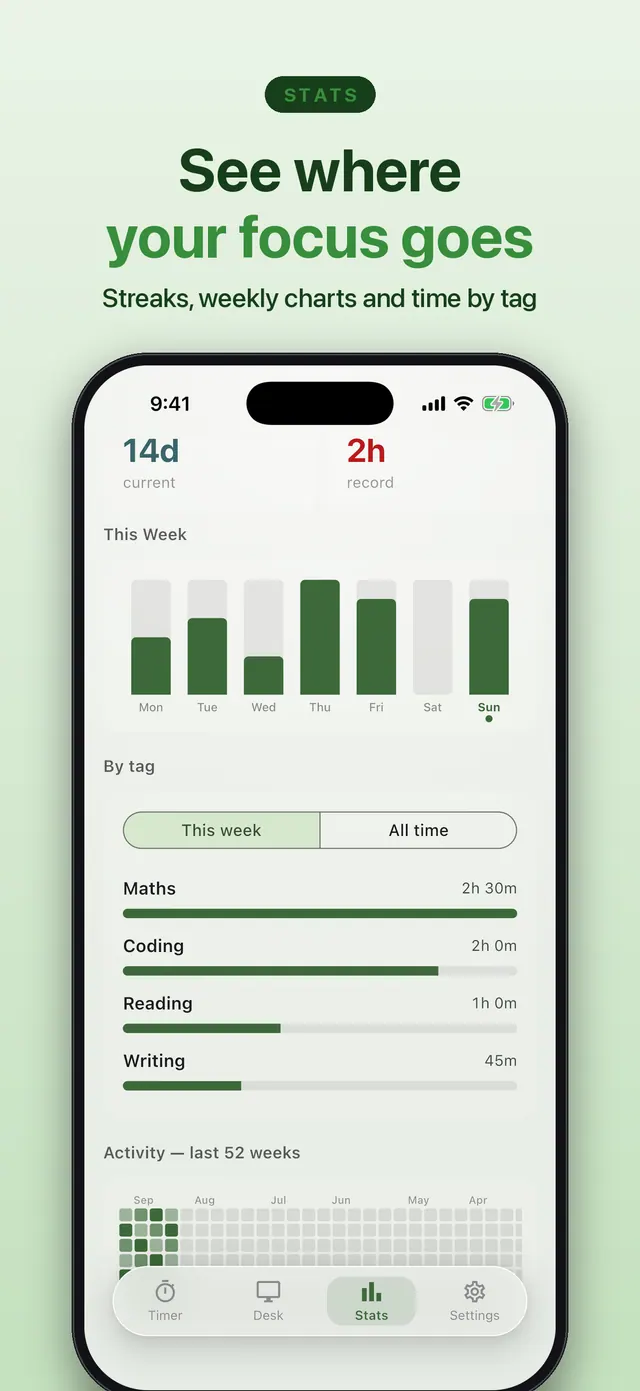
Choose a 15, 25, 50 or 90-minute session, or Flow, an open-ended timer that counts up until you finish. Tag each session (Maths, Coding, Reading…) to see where your focus goes, and keep your timer in view with a Live Activity on the Lock Screen and in the Dynamic Island. Streaks, weekly charts, a yearly heatmap and a shareable card show your progress.
No accounts, no signups and no cloud: your sessions, XP and stats stay on your device, and you can back them up to Files, iCloud Drive or Google Drive and restore them on a new phone.
Free to download. By using Focus Grove, you agree to the Terms of Service and Privacy Policy.
Focus Grove at a glance
- Platforms
- iPhone & iPad (App Store), Android (Google Play)
- Price
- Free to download
- Ads & purchases
- Ads, with a one-time Pro unlock. No subscription
- Account
- Not required
- Works offline
- Yes
- Your data
- Stored on your device; optional backup to a file you choose



Features
What you can do with Focus Grove
Pomodoro-style sessions of 15, 25, 50 or 90 minutes, with Deep Work, Study and Quick Task modes
Flow mode: an open-ended timer that counts up until you finish
Session tags with a "By tag" breakdown in Stats
Live Activity on the Lock Screen and in the Dynamic Island, plus Home and Lock Screen widgets (iPhone)
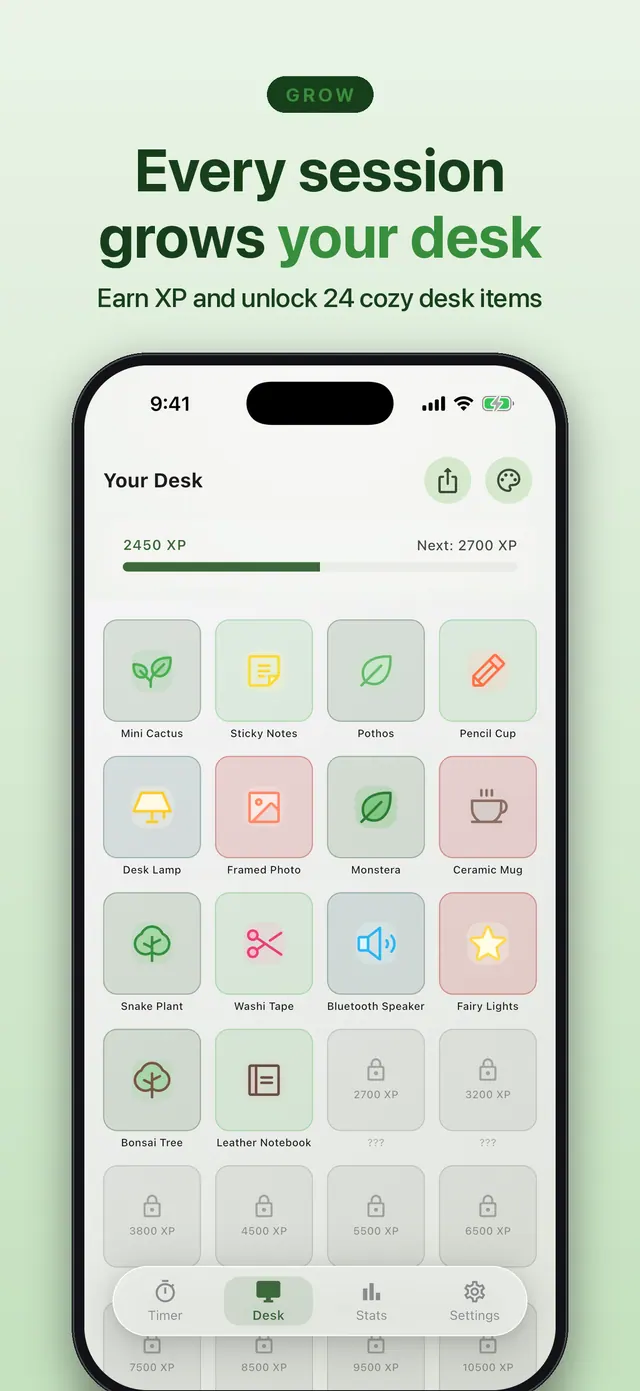
Earn XP to unlock 24 collectible desk items and cozy desk themes
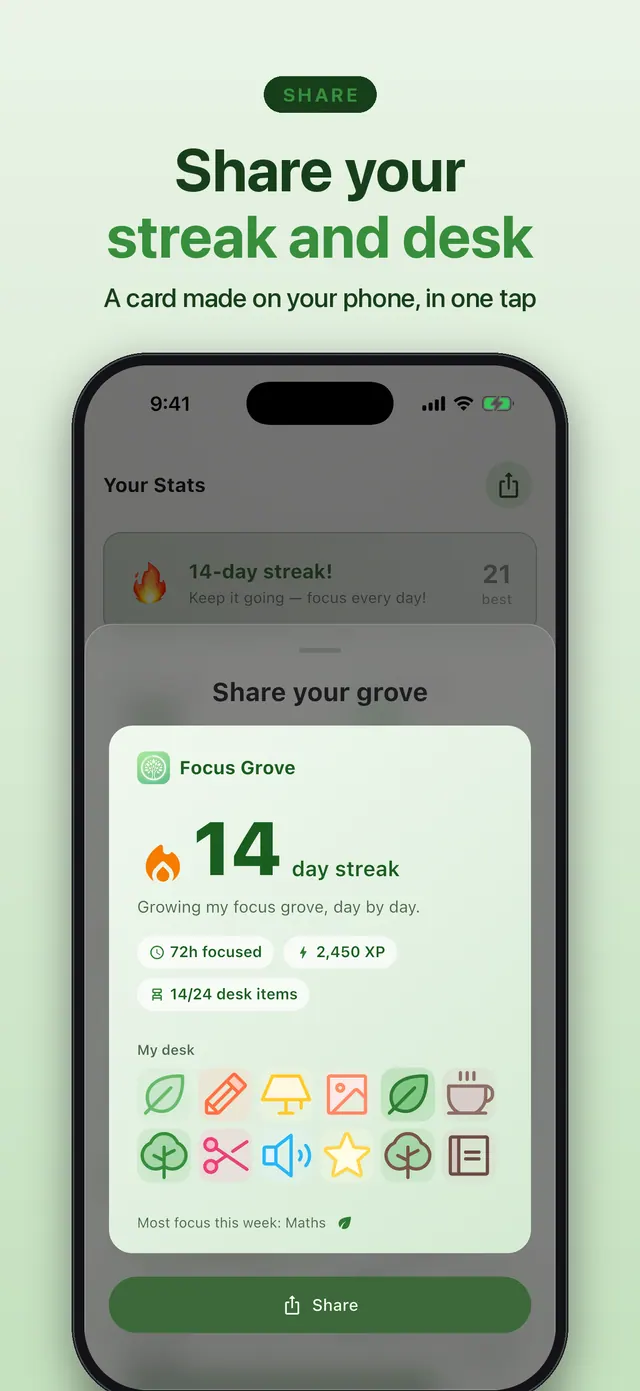
Streaks, weekly charts, a yearly heatmap and a shareable streak & desk card
Works offline with no account; back up to Files, iCloud Drive or Google Drive and restore on a new phone
Pro adds longer timers, ambient sounds, extra desk themes and no ads, with a one-time unlock
Use cases
When Focus Grove helps
Studying for exams
Use 25- or 50-minute sessions with automatic break prompts, and tag each one by subject to see where your revision time goes.
Deep work while working remotely
Start a Deep Work session or open-ended Flow, put your phone down, and glance at the Lock Screen Live Activity to see how long is left.
Staying motivated over weeks
Every completed session earns XP that unlocks desk items, and streaks, weekly charts and a yearly heatmap show your progress. Share a card of your streak and desk with friends.
Focus Grove FAQ
Does Focus Grove work offline?
Yes. It works without an internet connection and without an account; your data stays on your device.
What session lengths can I use?
Quick presets of 15, 25, 50 or 90 minutes, or Flow mode, which counts up until you stop. Pro adds a 2-hour preset and custom timers up to 3 hours.
Does it have widgets or a Live Activity?
On iPhone, yes: a Live Activity on the Lock Screen and in the Dynamic Island while you focus, plus Home and Lock Screen widgets for your streak, today's focus and the next desk unlock.
How do I move my progress to a new phone?
Use Export backup in Settings to save a file to Files, iCloud Drive or Google Drive, then Restore it on the new phone.
Is there a subscription?
No. Focus Grove Pro is a one-time unlock.
You might also like
More productivity from Smile Apps Studio →
Utility
Byegone: Photo Cleaner
Say bye to old screenshots, extra shots and huge videos. Everything stays on your iPhone. Free with ads, or remove ads once. No subscriptions, ever.

Game
Magnet Out: Puzzle Game
Hand-crafted levels of magnetic mayhem! Tap to attract, repel, and chain-react your way to PERFECT scores. No accounts, no timers — just pure puzzle brain.

Education
AI in 60 Seconds: Learn AI
Learn artificial intelligence the simple way—one 60‑second lesson at a time. Build real AI skills without coding, confusion, or endless courses.
Get Focus Grove
A calm Pomodoro-style focus and study timer. Every session earns XP that grows your cozy desk grove. Live Activities, widgets, session tags and Flow mode. No account, works offline.