
PlainPDF: Scanner & PDF Editor
Scan, merge, compress & sign
Scan, edit, merge, split, compress and sign PDFs — completely free, with no watermarks, account or subscription. Scan documents with automatic edge detection, enhance them in colour, greyscale or black & white, and make them searchable with on-device text recognition. Edit PDFs by signing, adding text, watermarks and page numbers, while easily reordering, rotating, deleting, duplicating and extracting pages. Convert photos to PDFs, compress files to a target size, extract text or images, and protect PDFs with a password — all processed securely on your device.
Free to download. By using PlainPDF, you agree to the Terms of Service and Privacy Policy.
PlainPDF at a glance
- Platforms
- iPhone & iPad (App Store)
- Price
- Free to download
- Ads & purchases
- Ads, with a one-time Remove Ads purchase. No subscription
- Account
- Not required
- Your data
- Files are processed and kept on your device


Features
What you can do with PlainPDF
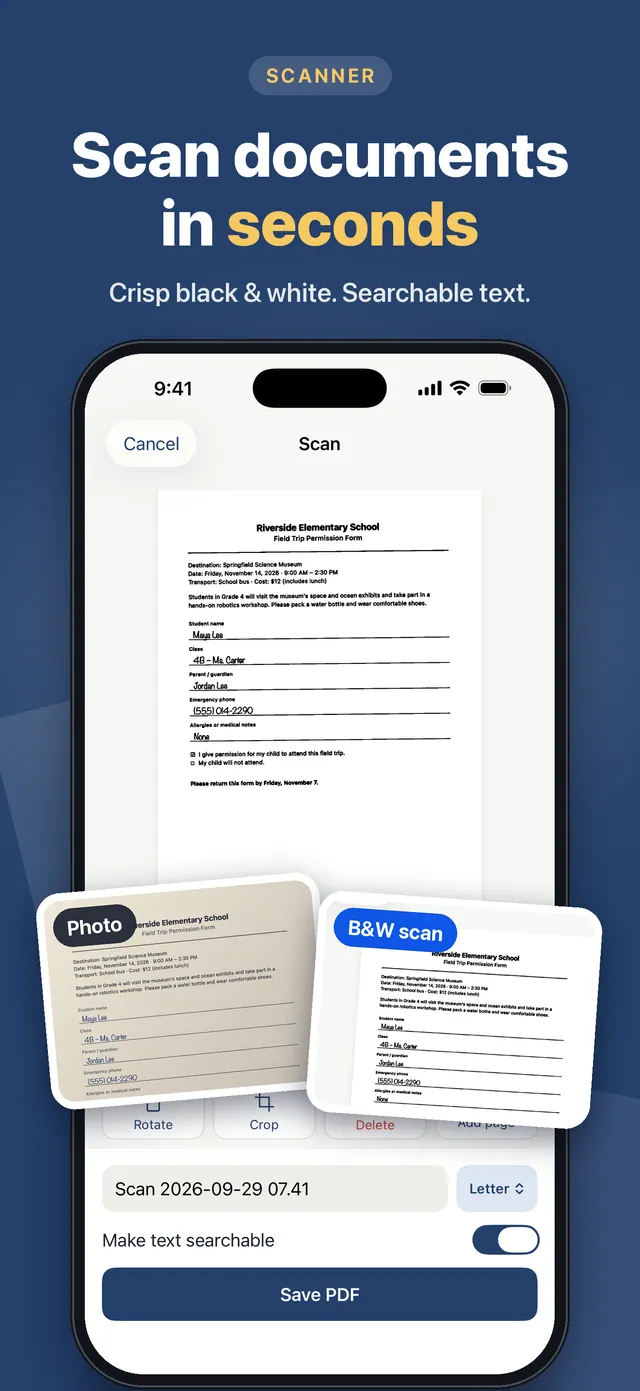
Scan documents with automatic edge detection and crisp black & white
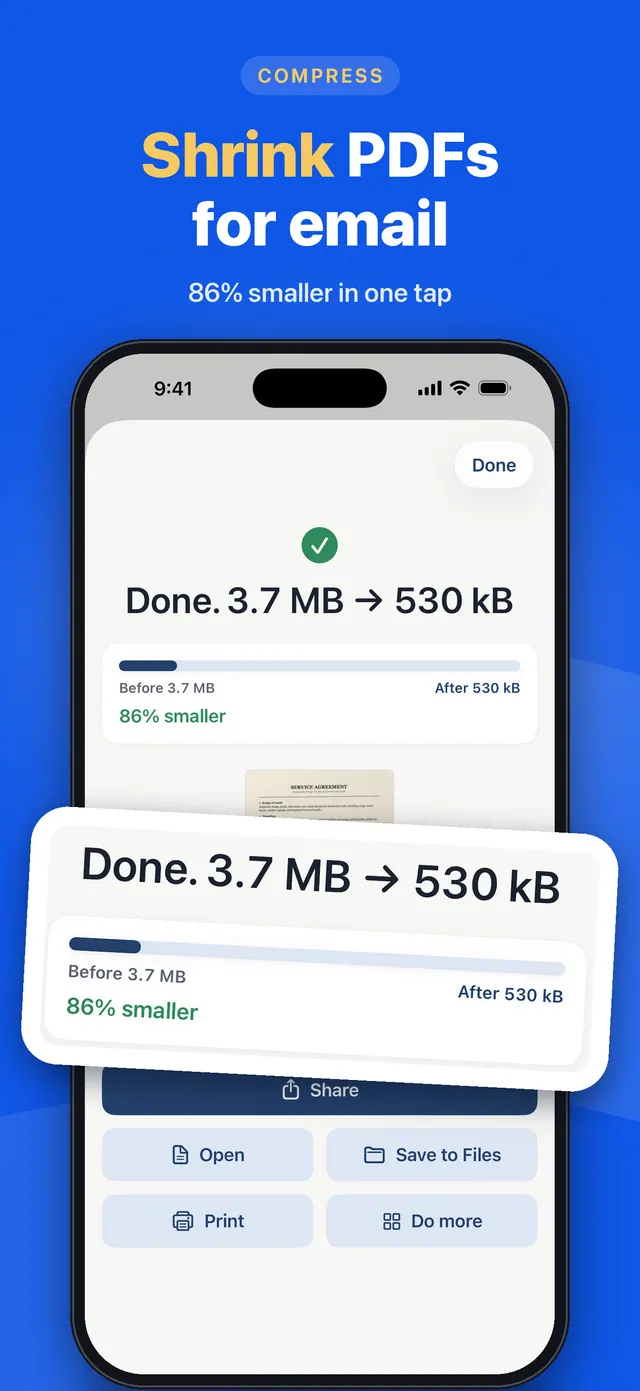
Compress PDFs for email and upload limits
Sign PDFs with a saved signature and the date
Merge PDFs and photos into one file, and split by pages
Organize pages: reorder, rotate, delete, insert and extract
Copy text from scans and make PDFs searchable, on your device
Add watermarks and page numbers
Add a password, or remove one you know
Extract images from PDFs
QR codes that never expire, tested before you save
No account. Your files never leave your device
No subscription. Remove ads once with a one-time purchase
Use cases
When PlainPDF helps
Signing a lease or form without a printer
Open the PDF, add your saved signature, the date and text, then save or share it.
Sending a PDF that's too big to email
Compress a PDF to a smaller target size so it fits email and upload limits.
Scanning paperwork
Scan receipts, forms and letters with automatic edge detection, then make the text searchable on your device.
Combining documents
Merge PDFs and photos into one file, or split and reorder pages.
PlainPDF FAQ
Is PlainPDF really free without watermarks?
Yes. The PDF tools are free and add no watermarks. You can remove ads with a one-time purchase; there is no subscription.
Are my documents uploaded to a server?
No. Files are processed on your device and no account is needed.
Can PlainPDF make scanned PDFs searchable?
Yes. On-device text recognition lets you copy text from scans and search inside the PDF.
You might also like
More utilities from Smile Apps Studio →
Utility
Byegone: Photo Cleaner
Say bye to old screenshots, extra shots and huge videos. Everything stays on your iPhone. Free with ads, or remove ads once. No subscriptions, ever.

Game
Magnet Out: Puzzle Game
Hand-crafted levels of magnetic mayhem! Tap to attract, repel, and chain-react your way to PERFECT scores. No accounts, no timers — just pure puzzle brain.

Education
AI in 60 Seconds: Learn AI
Learn artificial intelligence the simple way—one 60‑second lesson at a time. Build real AI skills without coding, confusion, or endless courses.
Get PlainPDF
Every PDF tool, free: scan, merge, compress, sign, split and more. No account, no watermarks. Your files never leave your device. Remove ads once. No subscription, ever.