RoomPeek: Room & Floor Planner
Will that furniture fit? Know before you buy
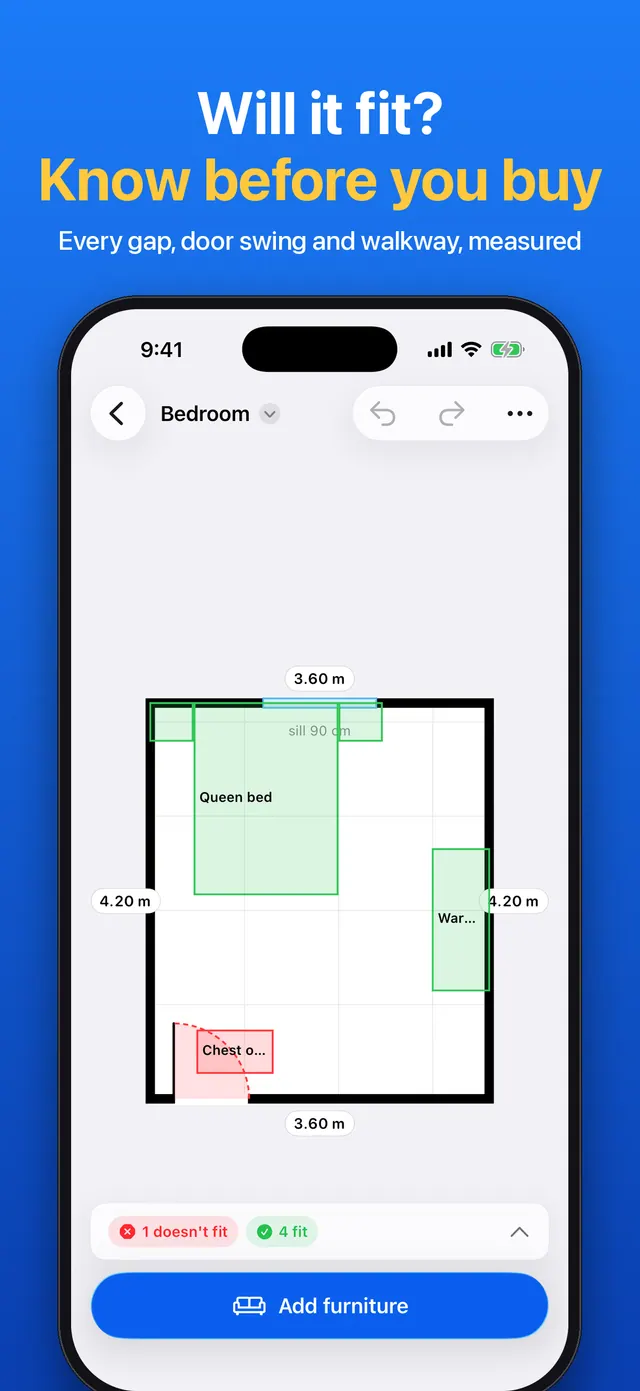
Will that sofa fit? Will you still get past the bed? Does the wardrobe block the door? RoomPeek answers the question before you buy or move, with real measurements instead of a pretty picture that's wrong.
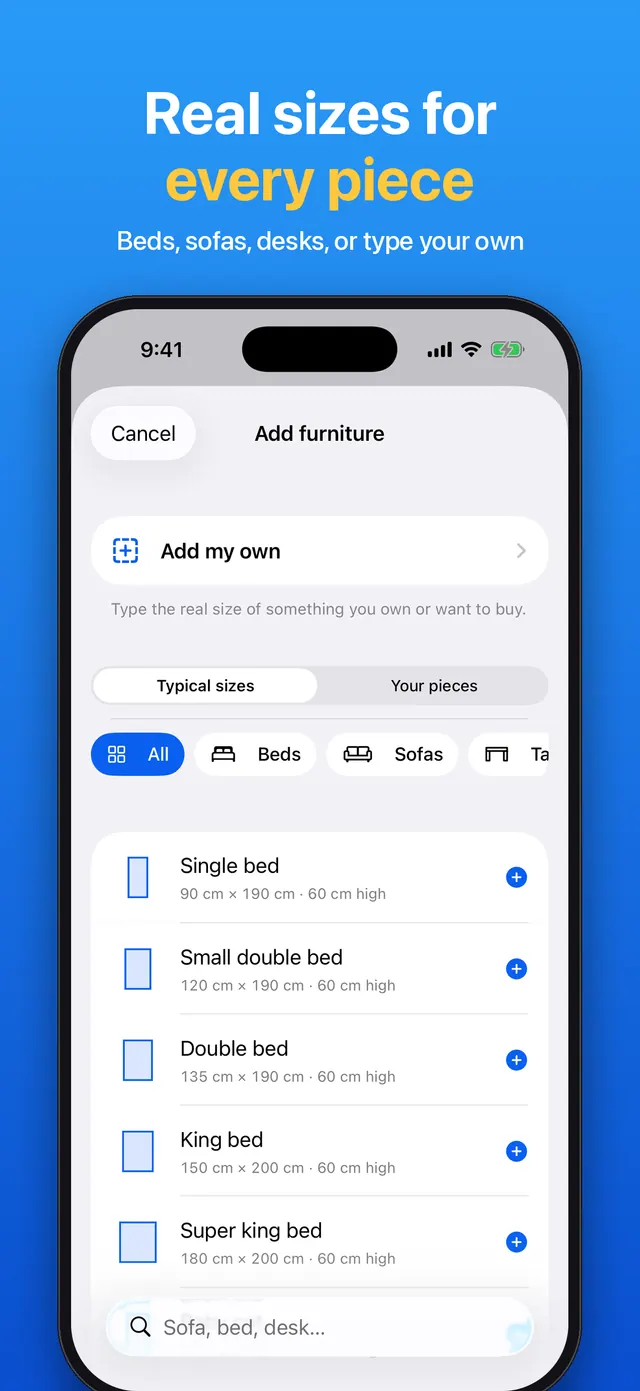
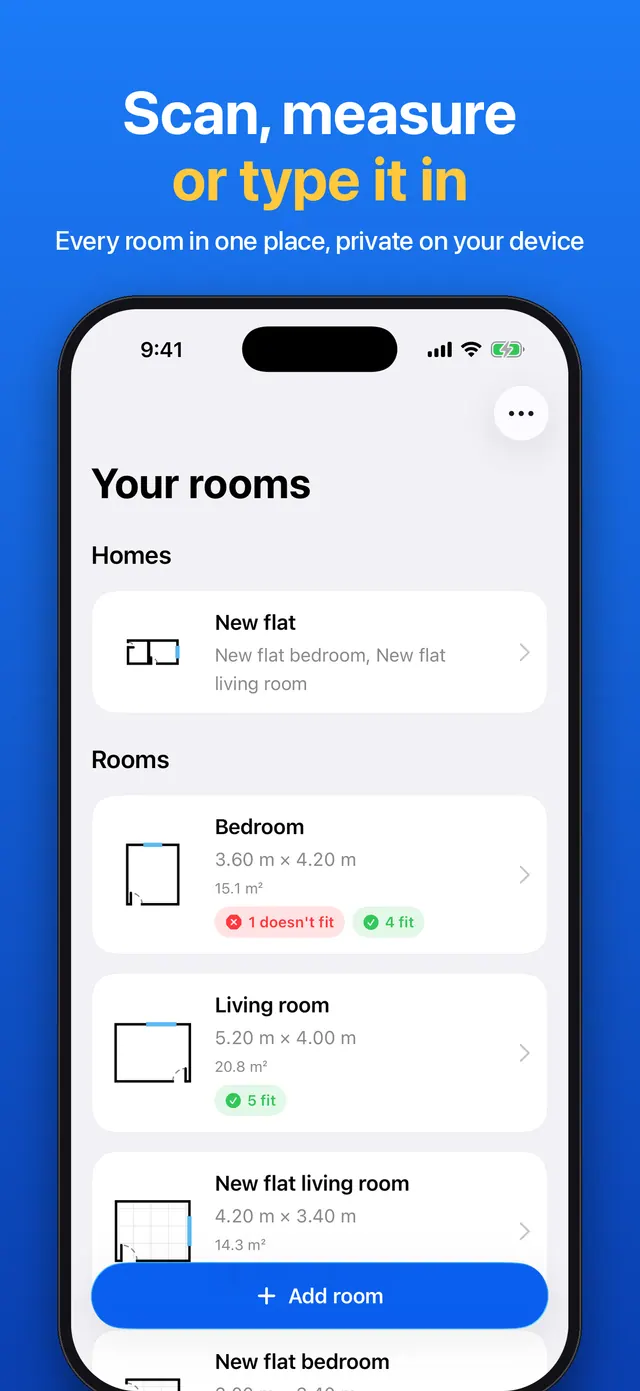
Get your room in by scanning it with LiDAR in about a minute, measuring it with the camera on any iPhone or iPad, or typing the sizes. Rectangle and L-shaped rooms work, with doors, openings and windows. Then add beds, sofas, tables, desks, wardrobes and appliances in typical sizes, or your own pieces with their exact width, depth and height.
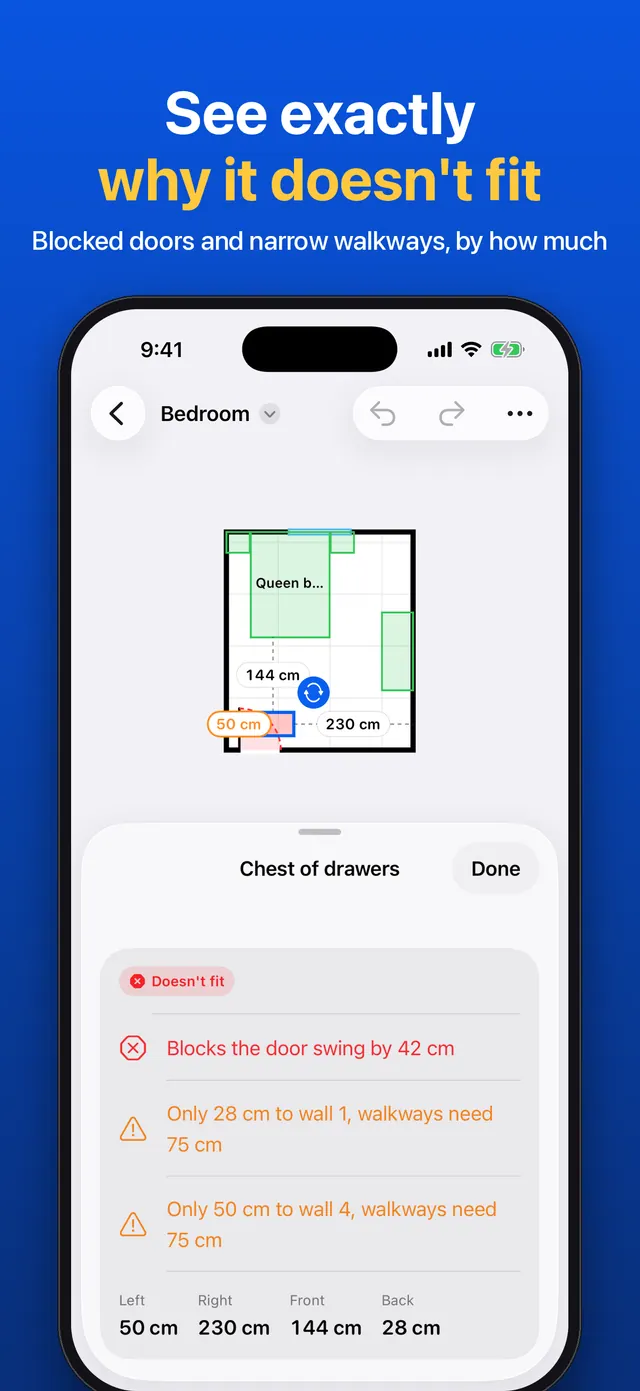
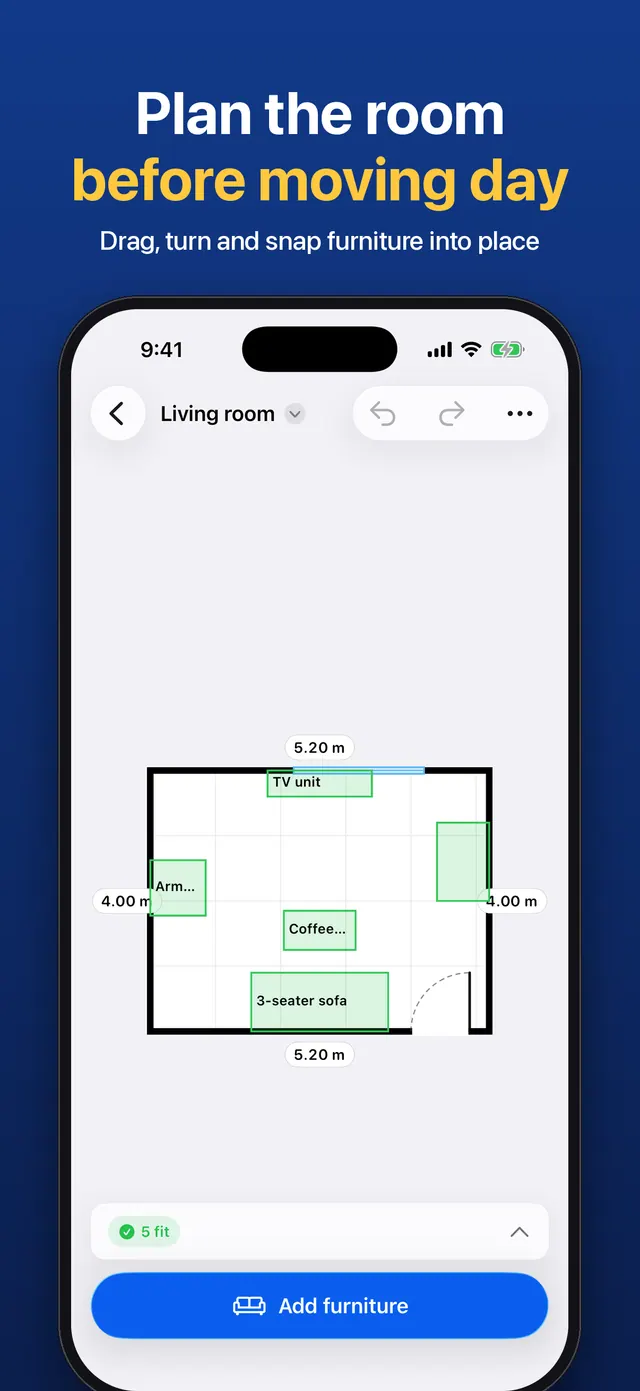
Every piece is marked Fits, Tight or Doesn't fit, with the reason, like "Blocks the door swing by 12 cm". Door swings, walkways, windows and walls are checked as you drag, and you see the gap to the nearest wall on every side. Try different furniture layouts, walk around the room in 3D, stand a piece on your real floor with AR, and export a floor plan with every measurement as a PDF or image. A moving-day list shows every piece and the room it goes to.
There is no account, no ads and no tracking: your rooms stay on your device. Scanning, furniture and the fit check are free; RoomPeek Pro is a one-time purchase that unlocks unlimited rooms and layouts, exports, 3D and AR.
By using RoomPeek, you agree to the Terms of Service and Privacy Policy.
RoomPeek at a glance
- Platforms
- iPhone & iPad (App Store) — coming soon
- Ads & purchases
- No ads. One-time RoomPeek Pro unlock, no subscription
- Account
- Not required
- Works offline
- Yes
- Your data
- Rooms and scans stay on your device
Features
What you can do with RoomPeek
Scan a room with LiDAR in about a minute, measure it with the camera on any iPhone or iPad, or type the sizes
Rectangle and L-shaped rooms with doors, openings and windows; fix any wall by typing a number
Furniture with real sizes: beds (with sizes for your region), sofas, tables, desks, wardrobes and appliances, or your own pieces
Every piece marked Fits, Tight or Doesn't fit, with the reason, like "Blocks the door swing by 12 cm"
Door swings, walkways, windows and walls checked as you drag, with the gap to the nearest wall on every side
"Will it get through the door?" for anything you're carrying in
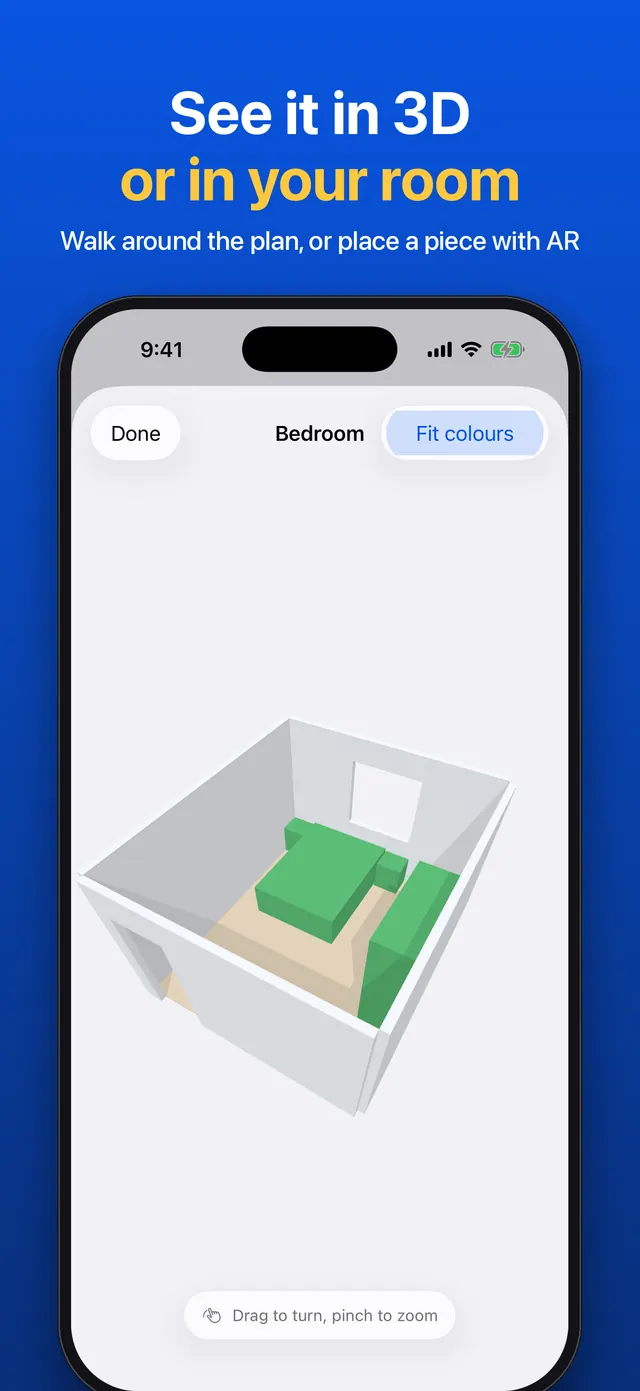
Walk around your room in 3D, or stand a piece on your real floor at true size with AR
Try different layouts and export a floor plan with every measurement as a PDF, image or 3D model (USDZ)
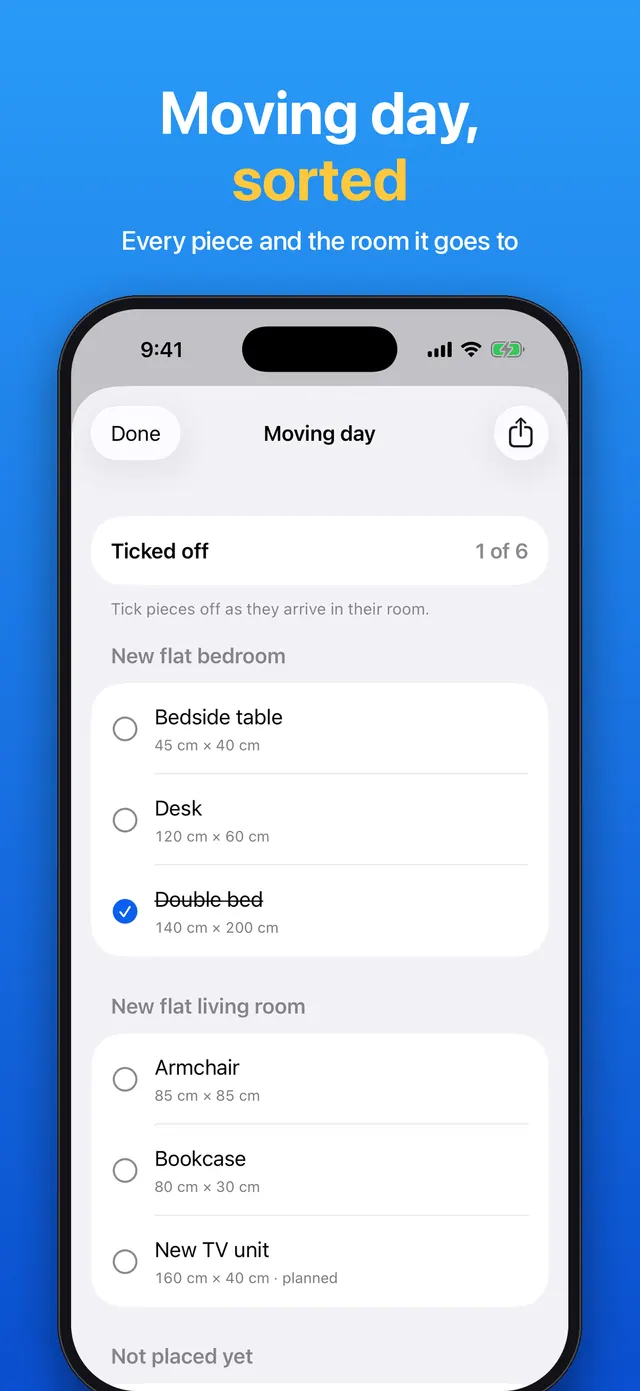
Moving-day list and a shopping list of pieces you're thinking of buying
Centimetres or feet and inches; no account, no ads, no tracking
Use cases
When RoomPeek helps
Buying a sofa, bed or wardrobe
Add the piece with its real width, depth and height before you order it, and see whether it fits, blocks a door or leaves too narrow a walkway.
Moving to a new home
Measure the new rooms, plan where every piece goes, check it will get through the door, and tick pieces off the moving-day list as they arrive.
Rearranging a room
Try different furniture layouts of the same room, drag pieces around and watch the fit check update, then walk around the result in 3D.
Sharing a floor plan
Export a clean floor plan with every measurement as a PDF or image to send to a partner, landlord, removal company or furniture shop.
RoomPeek FAQ
How do I know if furniture will fit in my room?
Add your room by scanning, measuring or typing its sizes, then add the piece with its real dimensions. RoomPeek marks it Fits, Tight or Doesn't fit and tells you why, for example if it blocks a door swing or leaves a walkway too narrow.
Do I need an iPhone with LiDAR?
No. LiDAR scanning works on iPhone Pro and iPad Pro models. On any other iPhone or iPad you can measure the room with the camera or simply type the sizes.
Can RoomPeek make a floor plan?
Yes. Every room becomes a floor plan with measurements, and you can export it as a PDF or image, or as a 3D model (USDZ), with RoomPeek Pro.
Does it work in feet and inches?
Yes. You can switch between centimetres and feet and inches at any time.
Is RoomPeek free?
Scanning, measuring, furniture and the fit check are free, for up to 2 rooms. RoomPeek Pro is a one-time purchase, with no subscription, for unlimited rooms and layouts, exports, 3D and AR.
Are my rooms uploaded anywhere?
No. There is no account, no ads and no tracking. Scans are processed on your device, and your rooms stay there.
You might also like
More home from Smile Apps Studio →
Utility
Byegone: Photo Cleaner
Say bye to old screenshots, extra shots and huge videos. Everything stays on your iPhone. Free with ads, or remove ads once. No subscriptions, ever.

Game
Magnet Out: Puzzle Game
Hand-crafted levels of magnetic mayhem! Tap to attract, repel, and chain-react your way to PERFECT scores. No accounts, no timers — just pure puzzle brain.

Education
AI in 60 Seconds: Learn AI
Learn artificial intelligence the simple way—one 60‑second lesson at a time. Build real AI skills without coding, confusion, or endless courses.
RoomPeek is coming soon
A room and floor planner that tells you whether furniture will fit. Scan your room with LiDAR, measure it with the camera or type the sizes, add furniture with real dimensions, and see what fits, what blocks a door and where you can still walk.